Design that survives real users. And real data density.
AI can draw a screen in seconds. It cannot tell you which screen your analyst needs at 2am, or which click to cut. We do the research behind the layout and the judgment in the hierarchy for security and enterprise products.
Free · you keep the marked-up screen either way.
























Security UX is how people investigate, prioritize, and act inside a product. For SOC teams, that means alerts and incidents. For AppSec, code findings and remediation. For AI SOCs, it means seeing the evidence behind an answer and knowing what still needs a human decision.
UX research
Interviews, workflow mapping, and the intent behind every login. The clicks we cut get written down with the reason.
Information architecture
The structure a dense product needs before a screen is drawn: what lives where, and why it earns the space.
High-fidelity design
Dashboards, triage queues, permissions, empty states. The edges and the worst day of the quarter, not just the happy path.
Design systems
Tokens, components, and documentation your engineers actually adopt, so the fifth table looks like the first without a meeting.
Prototyping
Working prototypes for sales demos, user testing, and executive review, before engineering spends a sprint.
Engineering handoff
We deliver a spec that survives contact with engineering, or our own engineers build it alongside your team.
Map it. Frame it. Design it. Ship it.
Scope is set before we start, so two weeks is a commitment rather than an estimate. Bigger surfaces run as consecutive sprints, one problem each.
Map
Users, workflows, and the job the screen is hired for.
You: one download session, 60 min
Frame
Information architecture and the hard calls: density, hierarchy, permissions.
You: one review, 60 min
Design
High-fidelity screens and the system behind them. AI for speed, senior review for judgment.
You: one final review, 60 min
Ship
Annotated screens and a spec your engineers can build from, or we build it with you.
You: nothing; we handle the handoff
Total from your side: about three hours across three short sessions. A download, a review, and a final review. The handoff is on us.
You get: research findings · flow maps · information architecture · high-fidelity screens · design system tokens and components · interactive prototype · engineering-ready spec. You own all of it. Source files included, no license, no lock-in.
Products arrive in one of three states.
Almost every engagement starts as one of these. If you recognize yours, the first sprint more or less scopes itself.
The product that grew feature by feature
Each screen was added by whoever built it, so nothing shares a structure. Users hunt for the thing they need, and every new capability arrives with its own way of working.
You know it is this one when: every new feature needs its own onboarding.
The dashboard nobody can read at 2am
Dense security data with no hierarchy: the analyst on call cannot tell signal from noise under pressure, so the important thing hides in plain sight.
You know it is this one when: your best customer keeps a spreadsheet open beside your app.
The AI feature nobody trusts yet
You shipped a model-driven capability, but users cannot tell when to believe it. There is no provenance, no fallback, and the empty state says nothing.
You know it is this one when: users re-check the AI by hand every single time.
GoodCode, or build it in-house.
The real comparison is not us against another studio. It is us against a headcount you carry all year, before a single thing ships.
Two clients on the work.
A solid UI with excellent user experience is critical for early-stage startups. It has to concisely communicate that you understand the customer’s problem and how you solve it. The Good Code team expertly handled our needs and requirements in this regard, and the results — based on customer feedback — are amazing.
They did not shy away from our budget, timelines, or SOW, and even offered to help with some of our back-end work. Now over six months of working side by side with them, we are lightyears ahead of where we had expected — with little to no surprises.
Design work.
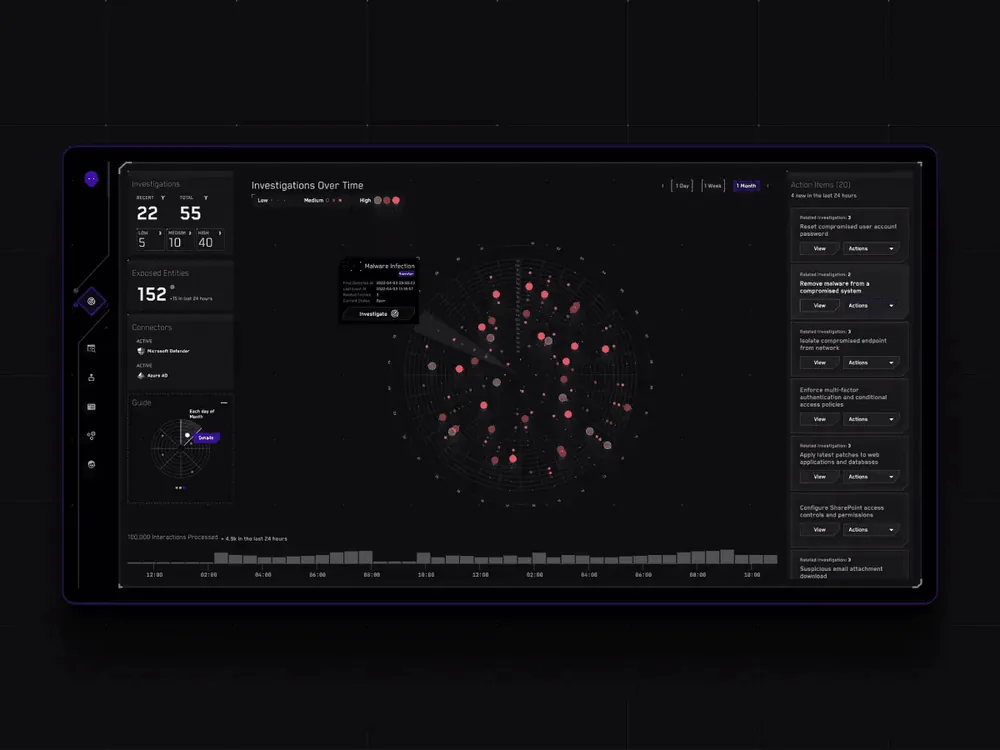
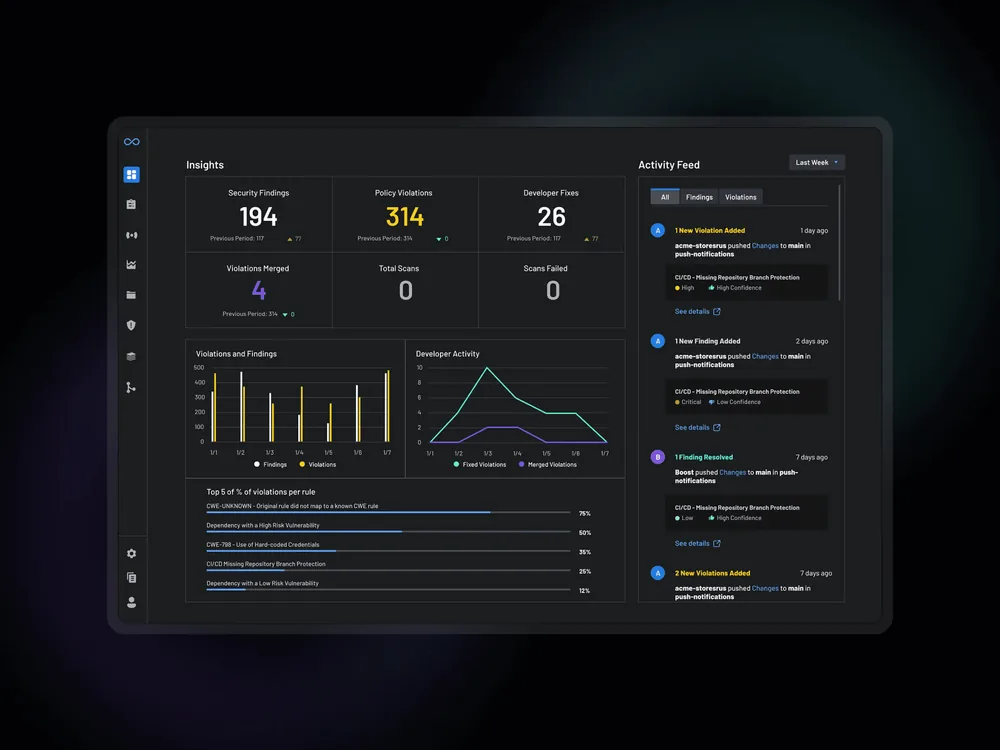
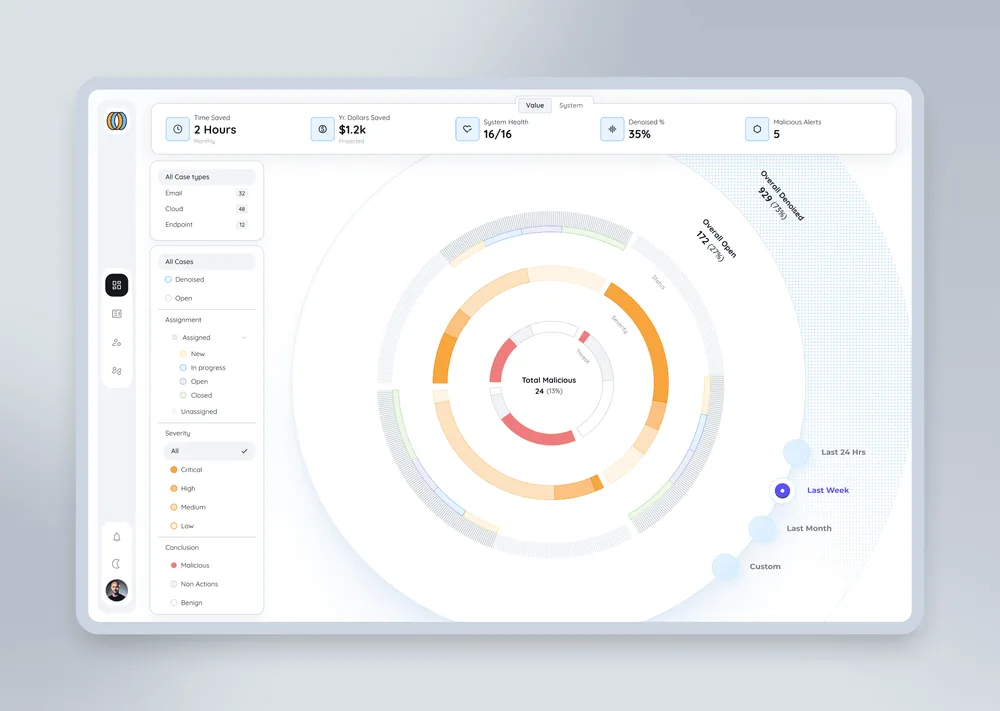
Security operations at CyberSainik, application security at Boost Security, and AI-assisted detection and response at Embed Security.
Direct answers.
01Who owns the files?
You do. Source files, tokens, components, prototypes, research notes. No license, no ongoing fee, no dependency on us to keep using them.
02What tools do you design in?
Figma and Claude Design, depending on the work. You get the working files, not just flat exports.
03Do you do research, or just visuals?
Both, in that order. Interviews and workflow mapping come first, then the screens. The research is why the design holds up under real use.
04We already have a design system. Can you work in it?
Yes. We extend what you have and document the parts your engineers keep re-deciding, rather than replacing it for its own sake.
05How does SOC UX differ from AppSec UX?
SOC workflows center on alerts, investigation, and incident response. AppSec workflows center on code findings, prioritization, ownership, and remediation. Both need clear evidence and next actions, but the users, context, and handoffs differ.
06Can you design for AI SOCs and copilots?
Yes. AI SOC interface design connects automated findings to their evidence and makes the boundary between a recommendation and an action clear. We have designed the AI experience for seven AI SOC platforms, including the detection and response workflow shown in our Embed Security case. We design the provenance, review steps, fallbacks, and empty states that make the experience usable.
07Do you hand off to engineering, or build it?
Either. We hand off a spec that survives engineering, or our own engineers build it alongside your team, sprint by sprint.
08What if we do not like the direction?
Direction is set in the first week, before any high-fidelity work: we agree the flows before we design the screens, so a wrong turn is caught while it is cheap. Each sprint carries two review rounds, and if the week-one flows are not right we re-map rather than polish the wrong screen.
09How fast do we see something?
Flow maps by the end of the first week. High-fidelity screens come in the second, once the flows are agreed. Everything is in your hands by day ten.